
PicTrick
Photography
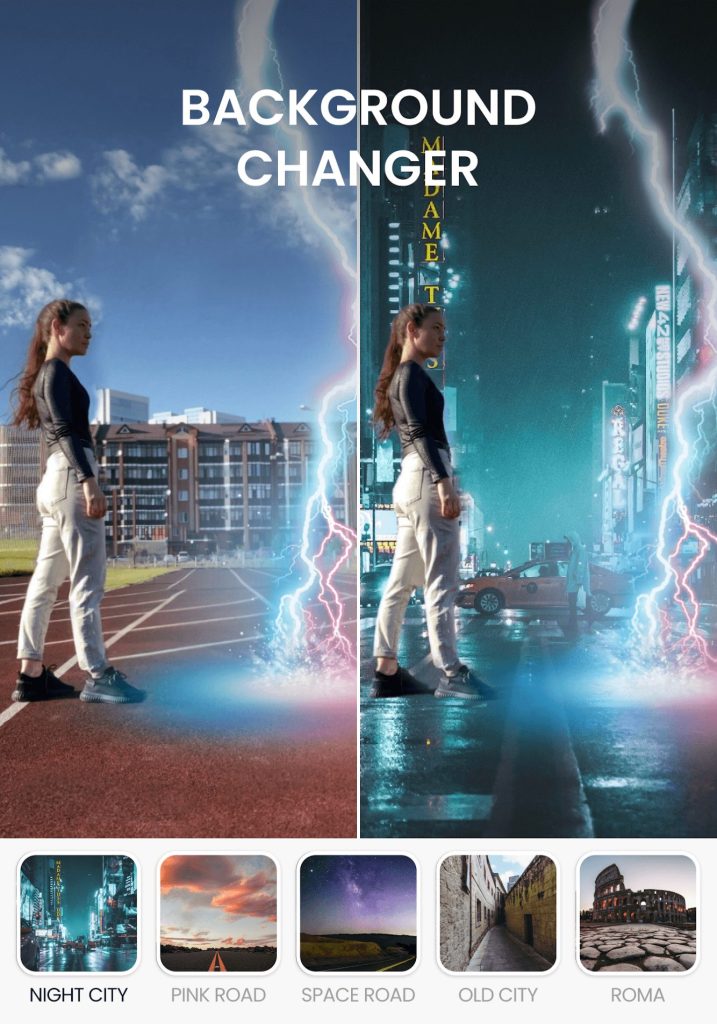


PicTrick is an Android photo‑editing application that lets you enhance selfies, landscape shots, and memes directly on your device. The app offers a range of basic editing tools and creative filters, making it suitable for casual users who want to improve images without a steep learning curve.
This page provides the latest version details, installation instructions, compatibility notes, and practical tips for using PicTrick safely.
Quick Information
| App/Game Name | PicTrick |
| Latest Version | 22.07.29.15 |
| Developer | Not listed |
| Category | Apps / Photography |
| App Size | 16 MB |
| Package Name | org.chlabs.pictrick |
| Last Updated | 19 January 2026 |
What Is PicTrick?
PicTrick focuses on straightforward image adjustments such as cropping, rotating, brightness/contrast tweaks, and applying preset filters. It targets users who need quick edits on the go rather than a full‑blown professional suite. The interface is designed for ease of use, with toolbars that expose the most common functions in a few taps.
Compatibility
Compatibility
| Android Version | ✓ Verified — 5.0 and up |
| Architecture (ARM64 / 32-bit) | Not Verified |
| Internet Connection | ✓ Verified — May be required for ads, updates, or login |
| Storage Needed | Not Verified |
| OBB/Data Files | Not Verified |
| Root Required | Not Verified |
How to Install
- Download the PicTrick APK file to your Android device.
- Before installing, open Settings → Security (or Privacy → Install unknown apps) and enable installation from the source you used (e.g., your browser or file manager).
- Locate the downloaded
PicTrick.apkin your file manager and tap it. - Follow the on‑screen prompts to complete the installation.
- Once installed, open the app and grant any requested permissions (e.g., storage access) so you can edit photos saved on your device.
Troubleshooting
- App not installed – Ensure you have enabled installations from unknown sources and that the APK is fully downloaded (no partial file).
- Crashes on startup – Verify that your device runs Android 5.0 or newer; older versions may lack required libraries.
- Editing tools not responding – Clear the app cache via Settings → Apps → PicTrick → Storage → Clear cache, then restart the app.
- Saved images not appearing – Check that the app has storage permission; you may need to grant it manually in the app’s permission settings.
Safety & Security
PicTrick is distributed as an APK file. While the package size (16 MB) and developer name are publicly listed, no official rating or download count is available. Before installing, scan the file with a reputable antivirus app and review the permissions it requests. Avoid entering sensitive personal data (e.g., login credentials) unless you are certain the app is from a trusted source.
How PicTrick Compares
| Feature | PicTrick | Snapseed | Adobe Lightroom | VSCO |
|---|---|---|---|---|
| Price / Free model | Free | Free (optional paid filters) | Free tier + subscription for full features | Free tier + subscription for premium presets |
| Platform availability | Android only | Android & iOS | Android & iOS | Android & iOS |
| Standout feature | Simple UI with quick filters | Professional‑grade tools and selective adjustments | Advanced RAW editing and cloud sync | Curated filter packs and social sharing |
| Best for | Casual edits on the go | Enthusiasts seeking detailed control | Photographers needing powerful editing | Users who love preset-driven aesthetics |
Alternatives
- Snapseed – Offers a comprehensive set of editing tools, including selective adjustments and a wide range of filters.
- Adobe Lightroom Mobile – Provides professional‑grade RAW editing, cloud sync, and advanced color grading.
- VSCO – Known for its stylish preset filters and integrated community for sharing edited photos.
Final Verdict
PicTrick is a lightweight, free option for Android users who want quick and easy photo enhancements without a steep learning curve. It lacks the depth of professional editors like Lightroom but delivers a straightforward experience for everyday edits. Verify the APK’s integrity before installing, and ensure your device meets the minimum Android version requirements.
Frequently Asked Questions
Only install the APK from a trusted source, scan it with an antivirus app, and review the permissions it requests.
PicTrick works on Android 5.0 (Lollipop) and newer; older versions may encounter compatibility issues.
No, the core editing features work offline; an internet connection is only needed to download the APK.
PicTrick does not support RAW editing; it focuses on standard image formats like JPEG and PNG.
Download the latest APK file, enable installation from unknown sources, and install over the existing version; the app will retain its data.
The app does not automatically delete originals; however, always keep a backup of important images before editing.
No paid version is listed; PicTrick is offered as a free application.
If a Play Store version exists, installing the APK may overwrite it; you can uninstall the Play Store version first if you prefer the APK.